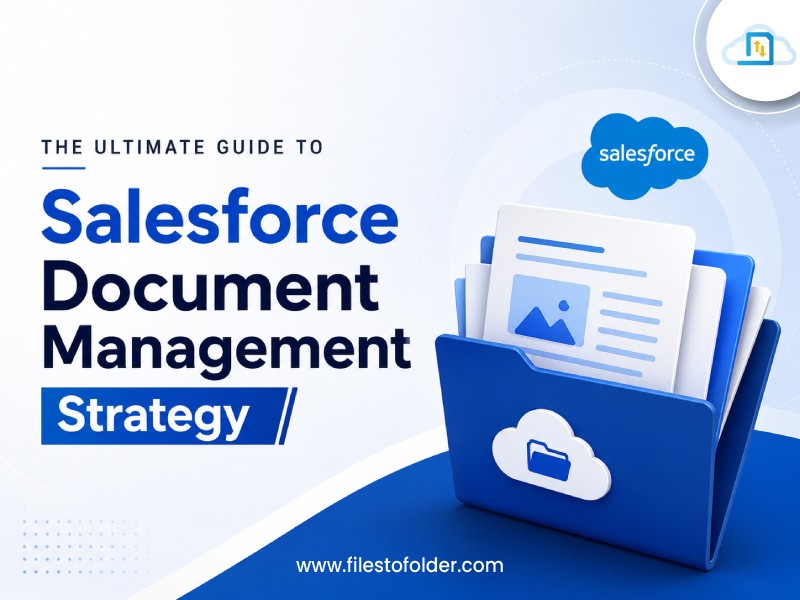
Documents are central to almost every Salesforce process, from contracts and proposals to invoices, customer records, and compliance files. As document volumes grow, businesses often face rising storage costs, duplicate files, poor organization, and security concerns.
A strong Salesforce document management strategy helps businesses store, organize, secure, automate, and manage documents more effectively. It also makes file management in Salesforce easier by connecting documents directly to CRM workflows. This guide explains the key elements of a scalable and efficient Salesforce document management approach.
What Is Salesforce Document Management and Why Does It Matter?
Salesforce document management is the structured process of creating, storing, organizing, accessing, sharing, securing, and managing documents connected to Salesforce records.
Instead of treating files as simple attachments, businesses can manage the complete document lifecycle from creation and approval to retention and archiving. Effective file management in Salesforce helps organizations:
- Find documents faster
- Reduce duplicate and outdated files
- Improve team collaboration
- Control access to sensitive information
- Automate document-related tasks
- Improve compliance and governance
- Manage storage more efficiently
Without a defined strategy, growing file volumes can make Salesforce difficult to manage. Employees may waste time searching for documents, while administrators face increasing storage and governance challenges.
Build a Structured Salesforce File Management Strategy
The foundation of successful file management in Salesforce is organization. Start by identifying the types of documents your business handles and defining how each should be managed.
Create Document Categories – Organize documents according to business functions, such as:
- Sales: Quotes, proposals, and contracts
- Finance: Invoices and financial documents
- Service: Customer files and support documents
- HR: Employee and onboarding records
- Legal: Agreements and compliance documents
Standardize File Names and Metadata – Create consistent naming conventions, such as:
CustomerName_DocumentType_Date_Version – You can also use metadata such as customer ID, document type, status, department, and expiration date. This makes searching and filtering much easier.
Choose the Right Storage Model – Native Salesforce storage can provide convenient access to files connected to CRM records. However, businesses managing large volumes of documents should evaluate their storage requirements carefully.
A hybrid approach can connect Salesforce with platforms such as SharePoint, Google Drive, OneDrive, or Amazon S3. Salesforce can manage CRM records, metadata, workflows, and document visibility, while external repositories can support large files and long-term storage.
Secure and Automate Document Management
A successful Salesforce document management strategy should combine security with automation.
Strengthen Document Security – Sensitive documents should only be available to authorized users. Consider the following below:
- Role-based access
- Permission controls
- Secure sharing
- Audit trails
- Encryption requirements
- Retention policies
- Download and sharing restrictions
Document permissions should align with the Salesforce records and business processes they support.
Automate Document Workflows – Manual document processes can consume valuable employee time. Automation can help businesses:
- Generate proposals and contracts
- Create documents using Salesforce data
- Route documents for approval
- Trigger eSignature workflows
- Automatically save completed documents
- Move inactive files to archives
- Synchronize files with external repositories
This transforms file management in Salesforce from basic storage into an integrated business process.
Manage the Complete Document Lifecycle – Documents should not remain in Salesforce indefinitely without governance. A clear document lifecycle helps businesses control files from creation to disposal.
A typical lifecycle is:
Create → Review → Approve → Use → Retain → Archive/Delete
Define specific rules for each document category. For example, determine:
- How long documents should remain active
- When documents should be archived
- Who can approve or modify them
- When outdated versions should be removed
- When documents can be securely deleted
FollowBest Practices for Smarter File Management
To maintain effective Salesforce document management:
- Maintain version control: Make the latest approved version easy to identify.
- Remove unnecessary duplicates: Regularly review duplicate, outdated, and unused files.
- Automate wherever possible: Reduce manual uploads, approvals, routing, and archiving.
- Train Salesforce users: Make sure employees understand naming, security, sharing, and upload standards.
- Monitor storage: Track file growth and identify opportunities to optimize storage.
These practices make file management in Salesforce more consistent, secure, and scalable.
How to Implement and Optimize Your Strategy
Building a successful Salesforce document management strategy requires continuous improvement.
Step 1: Audit Your Current Environment – Identify where documents are stored, how much storage they consume, and which files are duplicated or outdated.
Step 2: Classify Your Documents – Group documents based on type, department, sensitivity, business process, and retention requirements.
Step 3: Establish Governance – Define clear standards for naming, metadata, permissions, version control, retention, and document sharing.
Step 4: Select Your Storage Architecture – Determine which documents should remain within Salesforce and which should be stored or archived externally.
Step 5: Automate Key Processes – Automate document creation, approval, routing, synchronization, archiving, and other repetitive tasks.
Step 6: Measure and Improve – Monitor storage usage, user adoption, document retrieval, workflow efficiency, and compliance. Review the strategy regularly as business requirements change.
Conclusion
A successful Salesforce document management strategy goes beyond simply uploading and storing files. It creates a structured framework for organizing, securing, automating, accessing, and governing documents throughout their lifecycle.
By combining standardized file organization, metadata, secure access, automation, lifecycle policies, and the right storage architecture, businesses can make file management in Salesforce more efficient and scalable.
Whether you manage hundreds of millions of documents, a well-designed strategy can reduce operational friction, improve productivity, strengthen governance, and help teams get more value from their Salesforce investment.
Frequently Asked Questions (FAQs)
What is the best way to organize documents in Salesforce?
The best approach is to create a consistent file management structure based on document type, business function, and the Salesforce records they support. Use standardized file names, relevant metadata, clear sharing rules, and version control. Salesforce Files can be associated directly with records such as Accounts, Cases, Leads, and Opportunities, making documents easier to find and manage within CRM workflows.
How can I reduce Salesforce file storage usage?
To reduce Salesforce file storage usage, regularly identify duplicate, outdated, and unnecessary files and establish retention and archiving rules. Administrators should also monitor file storage from Salesforce Setup to understand which content is consuming the most space. For large volumes of historical documents, organizations can consider an external repository or archiving strategy instead of keeping every file in Salesforce indefinitely.
Can Salesforce integrate with external document storage systems?
Yes. Salesforce Files Connect can connect Salesforce with external file repositories such as SharePoint, Google Drive, OneDrive, and Box. Depending on the configuration, organizations can either copy external files into Salesforce or reference files stored externally. This can help businesses keep Salesforce connected to their document repositories while managing storage and access requirements more effectively.
How do I secure documents in Salesforce?
Document security should be based on user permissions, record access, file-sharing settings, and the sensitivity of the information. Salesforce provides options to control how files are uploaded, shared, and accessed, including settings that allow file access to inherit the permissions of the associated record. Organizations should also review public links, external sharing, library membership, and access permissions regularly.
What should a Salesforce document retention and lifecycle strategy include?
A document lifecycle strategy should define what happens to a document from creation through review, approval, active use, retention, archiving, and deletion. Businesses should establish retention periods by document type, identify who can approve or modify documents, define when inactive files should be archived, and determine when documents can be securely deleted. A clear lifecycle helps control storage growth while supporting governance and compliance requirements.