Files are at the heart of every business process—whether it’s sharing proposals, reviewing contracts, storing customer documents, or collaborating on ongoing projects. But as teams grow and digital tools expand, managing these files across platforms can become difficult. This is where FilesToFolder steps in as a powerful solution that transforms how teams work with documents inside and outside Salesforce.
FilesToFolder integrates Salesforce with leading external storage systems, including SharePoint, OneDrive, Google Drive, Dropbox, AWS, and more.
With real-time syncing, automated folder creation, centralized content management, and strong security controls, it helps teams collaborate more efficiently and ensures everyone always has the latest information.
What Is FilesToFolder?
FilesToFolder is an intelligent integration tool that connects Salesforce to external cloud or on-premises storage platforms.
Instead of manually downloading, uploading, or moving files between systems, FilesToFolder automates the entire document management process. It syncs files in real time, organizes them in structured folders, enables easy access within Salesforce, and ensures that everyone is always working on the latest version of a document.
By creating a bridge between Salesforce and your chosen storage platform, you eliminate information silos and make collaboration seamless for both internal teams and external users.
How FilesToFolder Enhances Team Collaboration
FilesToFolder offers several powerful features that directly improve how teams work together, share documents, and manage information. Here’s how it transforms everyday workflows:
1. Bi-Directional Synchronization
One of the biggest challenges in collaboration is keeping documents up to date across multiple systems. FilesToFolder solves this with bi-directional file syncing.
- If a file is edited in SharePoint or Google Drive, the changes are automatically reflected in Salesforce.
- If a user uploads a new version in Salesforce, the external storage is updated instantly.
This real-time syncing means everyone—internal teams, partners, vendors, and customers—can collaborate on the same documents without worrying about version mismatches. Teams spend less time searching for files and more time working together efficiently.
2. Centralized Asset Management
Modern organizations use multiple platforms for storing files. This often leads to scattered documents and confusion about where the latest version is located.
FilesToFolder eliminates this problem by creating a single, centralized content hub.
- Documents from Salesforce, cloud storage (Google Drive, OneDrive, Dropbox), and even on-premises systems are automatically pulled together and organized.
- Files are linked to specific Salesforce records—Accounts, Contacts, Opportunities, Cases, or custom objects.
This gives teams a clear, connected view of all critical files without switching between tools.
3. Seamless File Access Inside Salesforce
Even if your files live in SharePoint or AWS S3, FilesToFolder allows users to view and access them directly from Salesforce.
There’s no need to jump between systems or worry about Salesforce storage limits. Because files are stored externally but displayed within Salesforce, teams get the best of both worlds:
- Easy access
- Faster workflows
- Zero additional Salesforce storage consumption
This improves daily productivity and enhances the overall user experience.
4. Automated File Syncing
Manual file uploads and repeated transfers often slow down workflows and increase mistakes. FilesToFolder’s automated file syncing removes these repetitive tasks.
Whenever a file is uploaded to Salesforce, it is:
- Automatically synced to the assigned external folder
- Organized according to your defined rules
- Instantly updated for all users
This automation ensures that both systems stay perfectly aligned at all times—without manual intervention.
5. Secure File Sharing with Access Controls
Security is a top priority when multiple teams and external users need access to files. FilesToFolder includes built-in access control features that let you define:
- Who can view files
- Who can edit them
- Who is allowed to download documents
You can create separate access rules for internal users, partners, or customers. This keeps sensitive information secure while ensuring smooth collaboration.
6. Organized and Structured Folder Management
FilesToFolder lets teams create custom folder structures that align with their business workflows.
For example:
- A folder for each Account
- Subfolders for Opportunities, Contracts, or Projects
- Automatic subfolder creation based on triggers
Such a structured organization ensures files are always stored logically and are easy to find, even across large databases.
7. Advanced Version Control
Teams often struggle with document duplication or outdated files. FilesToFolder includes smart version tracking, which:
- Ensures everyone works on the most recent version
- Stores older versions for reference or audits
- Helps maintain consistency and accuracy
This improves transparency and eliminates confusion during collaborative work.
Integration with Multiple External Platforms
FilesToFolder supports a wide range of cloud and on-premises storage solutions, giving businesses the flexibility to choose the solution that best suits them. It integrates smoothly with:
- Google Drive – Reliable cloud-based storage for easy file management.
- Dropbox – Simple, user-friendly access for teams on the go.
- OneDrive – Perfect for Microsoft-focused organizations.
- AWS – Scalable, enterprise-grade file storage.
- Google Cloud – High-performance file management for growing businesses.
- Azure – Secure and seamless integration with Microsoft environments.
- Box – Ideal for industries requiring compliance and security.
- Firebase – Great for app-based file syncing.
- FTP – For teams using classic file transfer setups.
- SharePoint & Team SharePoint – Advanced collaboration features for enterprises.
- Team Google Drive – Centralized team-based file operations.
With such broad compatibility, organizations can continue using their preferred storage platform while maximizing collaboration inside Salesforce.
Conclusion
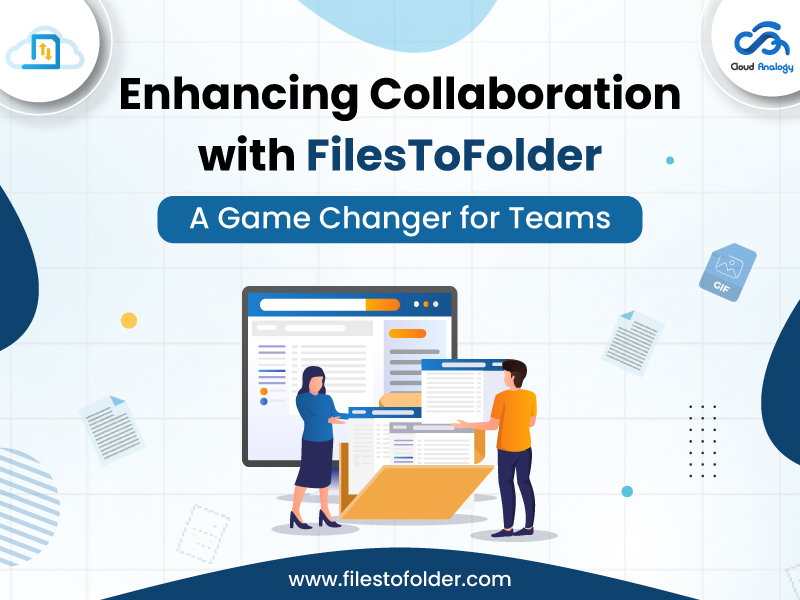
FilesToFolder is more than a file management tool—it is a collaboration powerhouse. By connecting Salesforce with external storage systems, automating file sync, centralizing content, and enabling secure access, it transforms Salesforce into a complete document collaboration platform.
Teams can work faster, share smarter, and stay aligned without worrying about version issues, missing files, or scattered information.
In a world where efficient collaboration defines business success, FilesToFolder truly becomes a game-changer for teams of all sizes.